
We get it. Life gets in the way. You get sick or you go on vacation. We've made it easy to change or reset your start date so you can continue where you left off, without skipping any workouts. To change or reset your start date:
1. From the workout screen click the calendar icon on the top right of the screen.
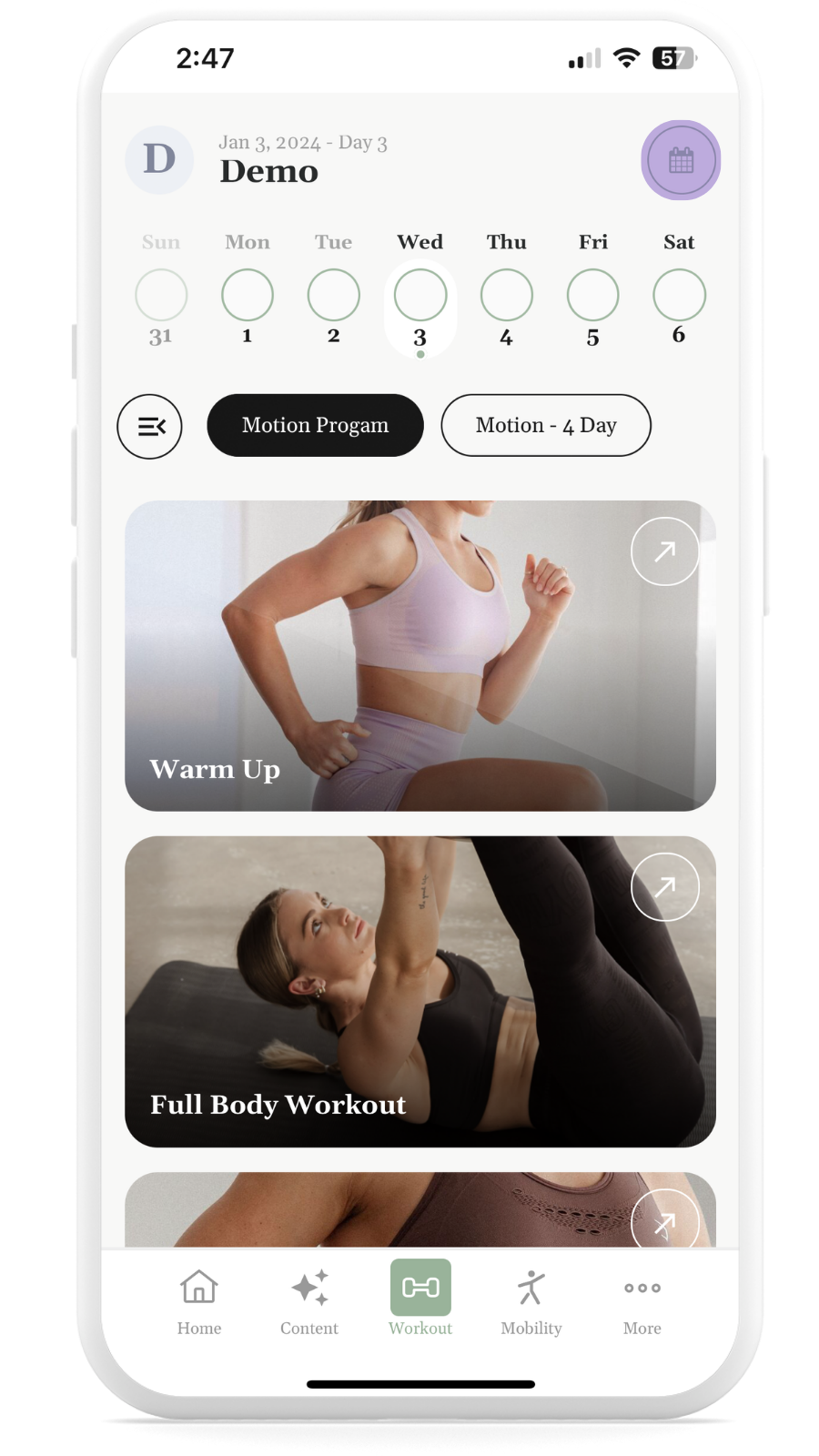
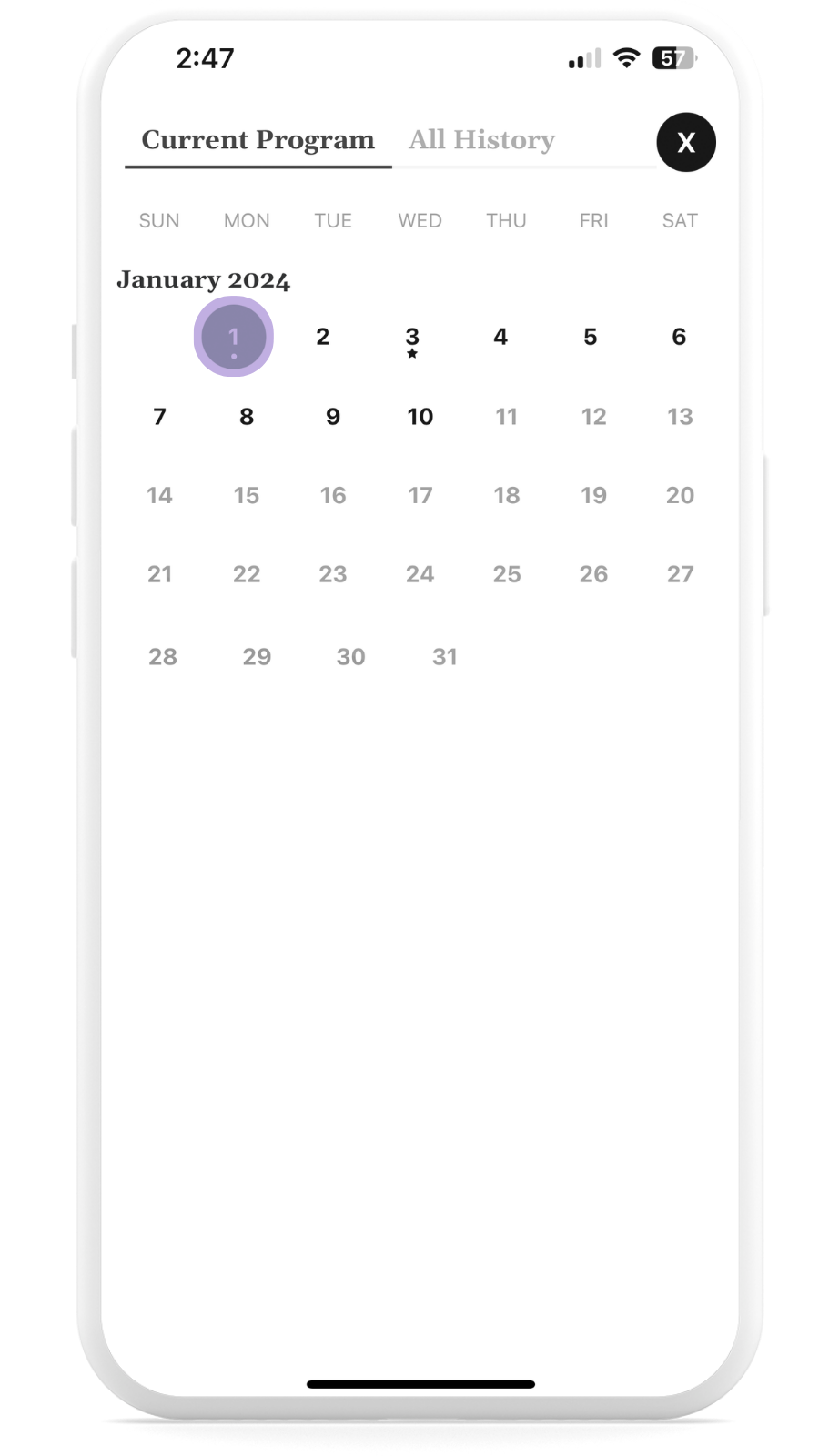
2. Choose the day you'd like to restart from (we recommend a Monday to keep weekend rest times).
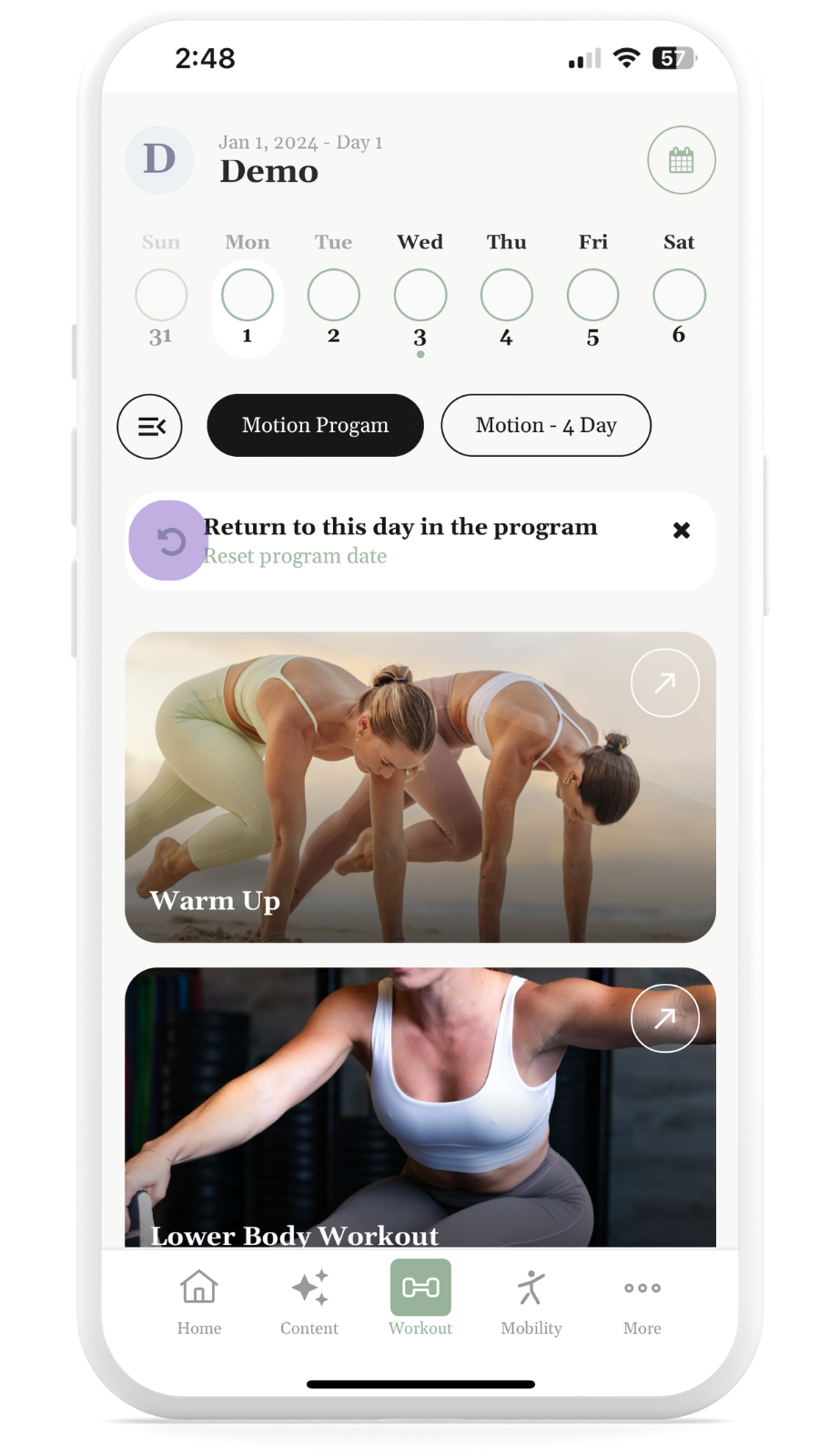
3. From the workout screen click "RETURN TO THIS DAY IN THE PROGRAM."
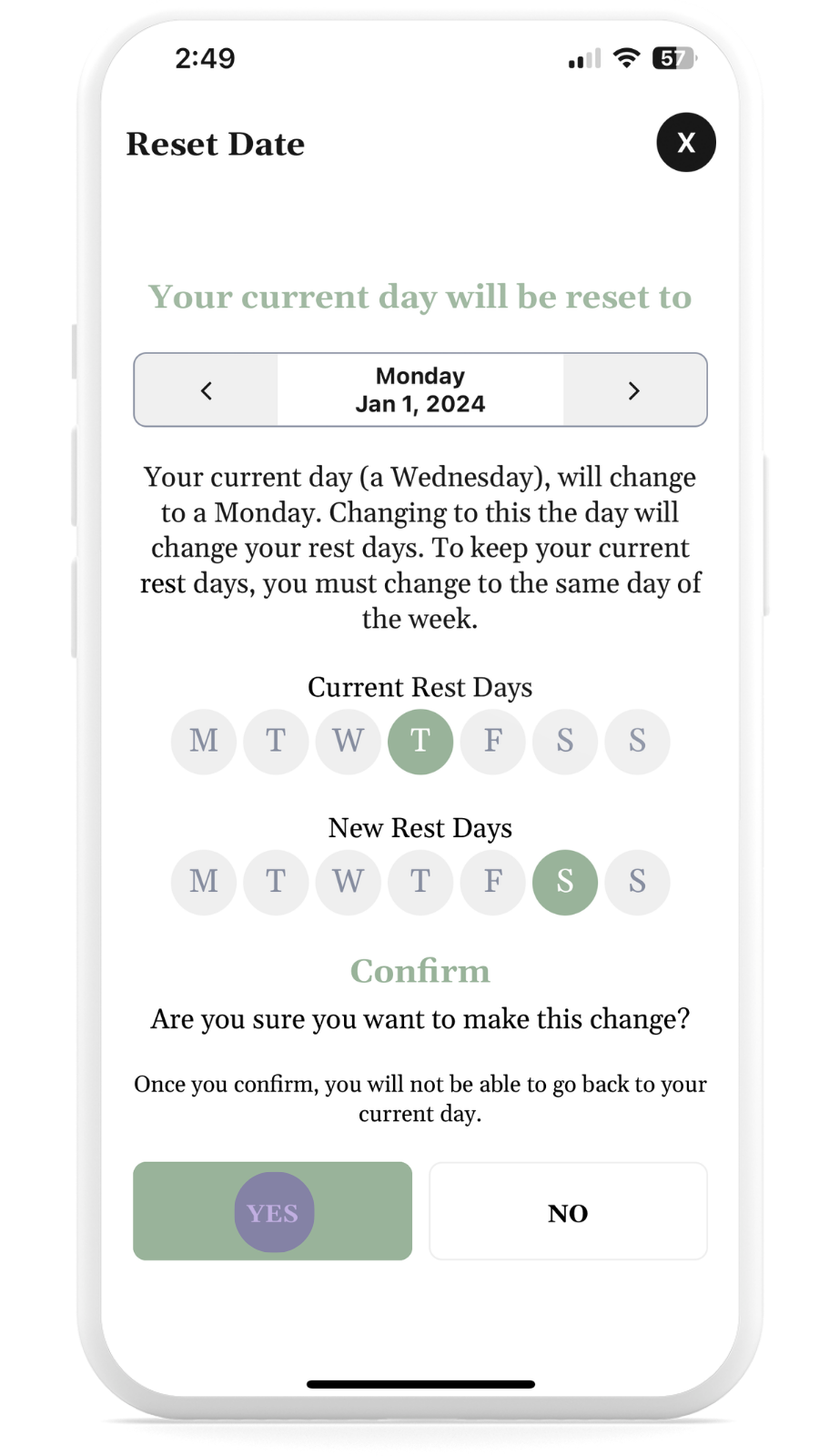
4. Confirm the day you want to continue from.
5. Depending on when you restart, it may change your rest day. Confirm the changes.
6. Start training.
If you need any more help please email support@cultureofmotion.app with your preferred start date, and we'll switch it for you.